
You can add custom menu entries to the MainWP Dashboard navigation sidebar using PHP filters. This lets you create shortcuts to frequently used pages or integrate external tools.Documentation Index
Fetch the complete documentation index at: https://mainwp-mintlify-c0f00f42.mintlify.app/llms.txt
Use this file to discover all available pages before exploring further.
What You’ll Learn
- How to add custom menu items to the navigation
- How to control menu position
- How to customize menu icons
Prerequisites
- MainWP Dashboard version 4.5 or newer
- Custom Dashboard extension (free) or access to your theme’s functions.php
Add a Custom Menu Entry
Open Custom Dashboard
Navigate to the Custom Dashboard extension settings.
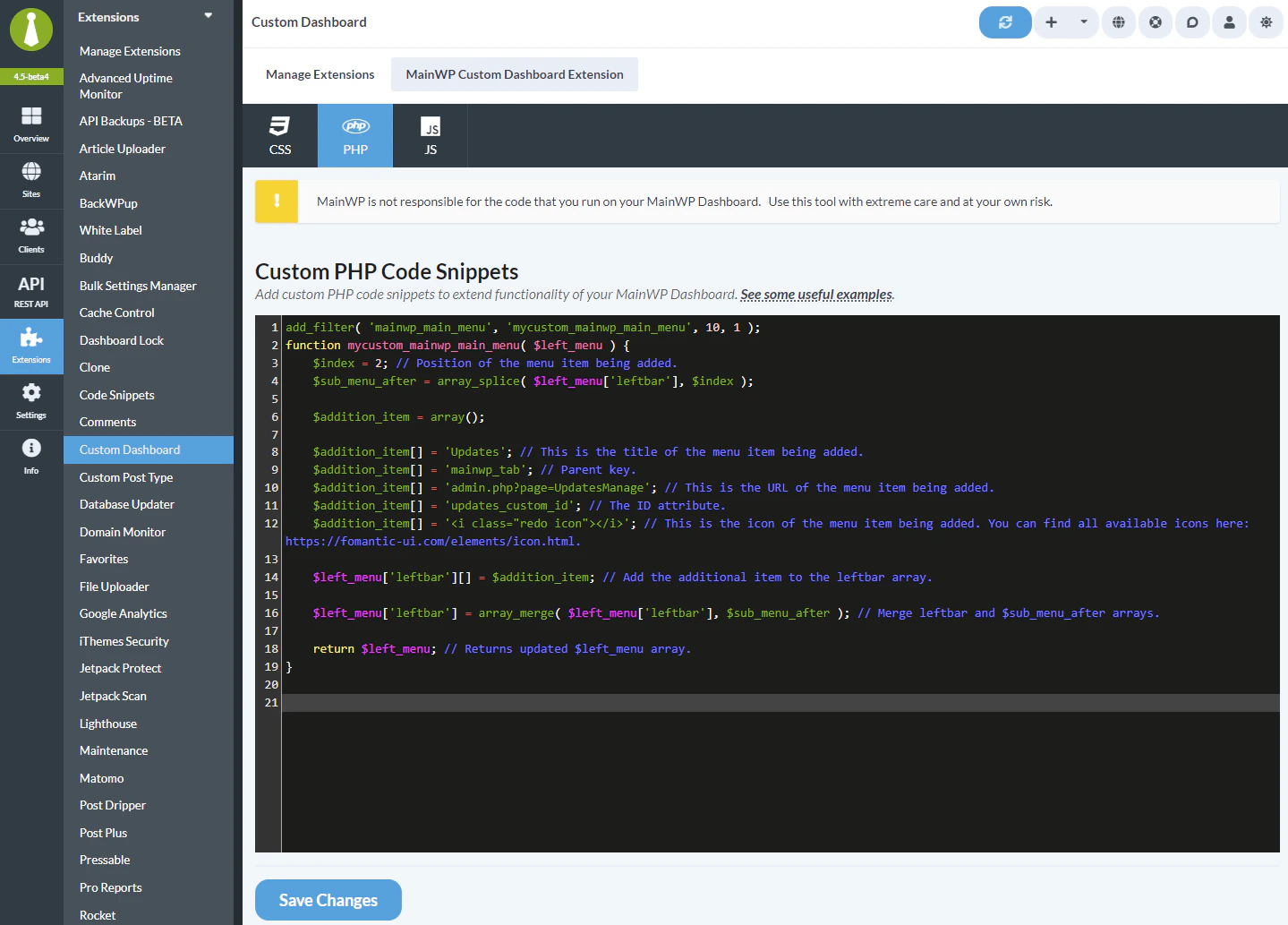
Customize the values
Modify the
$addition_item[] values for your needs:| Value | Description | Example |
|---|---|---|
| Title | Text displayed in menu | 'My Custom Page' |
| Menu key | Use a unique internal key | 'my_custom_page' |
| URL | Page URL or admin slug | 'admin.php?page=MyPage' |
| ID | HTML element ID | 'my_custom_id' |
| Icon | Fomantic UI icon HTML | '<i class="chart bar icon"></i>' |
Change position (optional)
Modify the
$index value to control where the menu item appears:0= First position1= Second position2= Third position
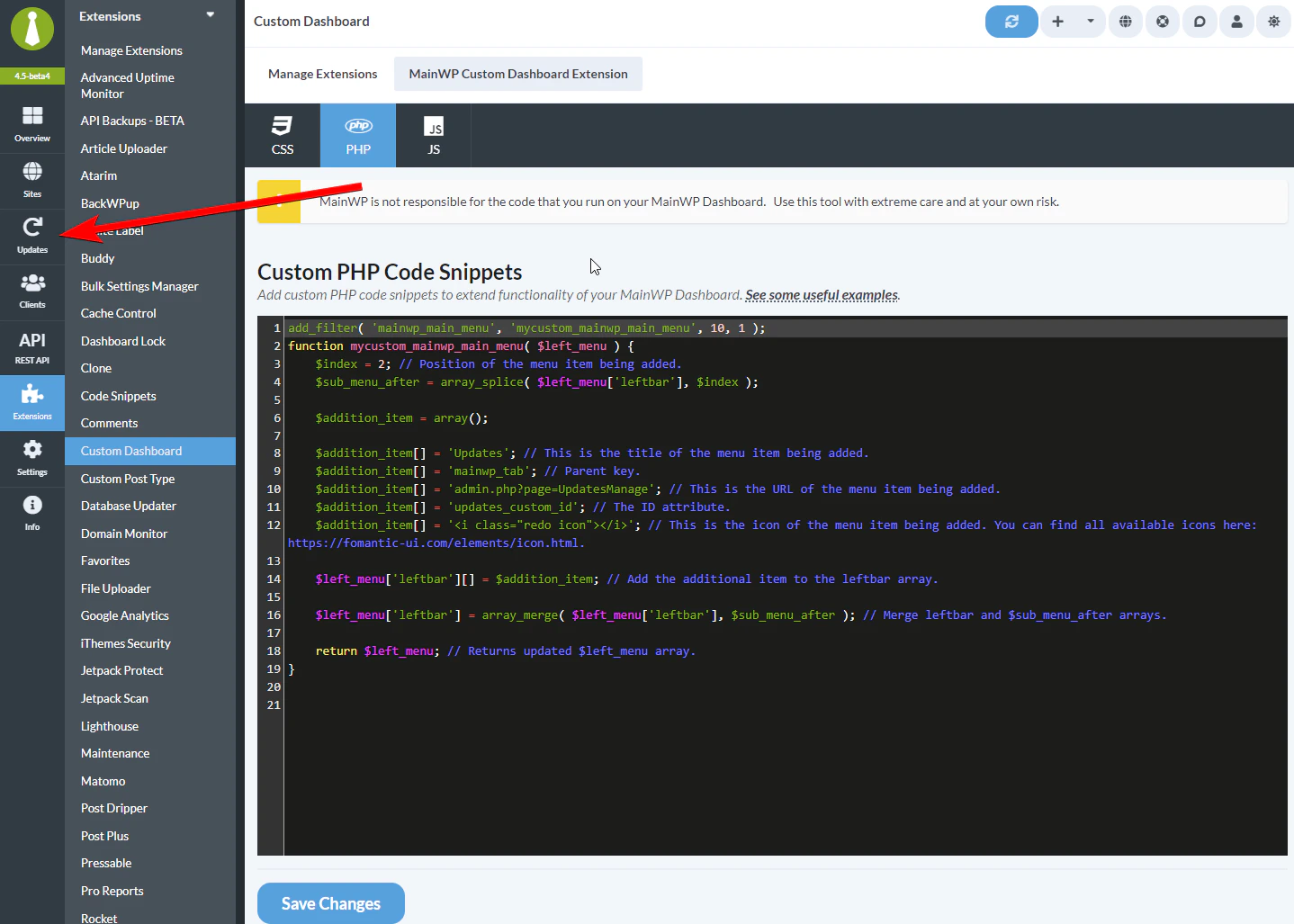
Add an Icon
To add an icon, pass the full icon HTML from the Fomantic UI icon library:'<i class="home icon"></i>'- Home icon'<i class="cog icon"></i>'- Settings gear'<i class="chart bar icon"></i>'- Bar chart'<i class="user icon"></i>'- User icon'<i class="envelope icon"></i>'- Email icon
If you use only the class name, such as
chart bar, MainWP renders it as plain text instead of an icon.Self-Check Checklist
- Custom Dashboard extension installed
- PHP code added to PHP tab
- Menu title and URL customized
- Position index set correctly
- Changes saved
- New menu entry visible in navigation
Related Resources
- Custom Dashboard Extension - Extension documentation
- Add WP Admin Button - Add admin link to navigation
- Change Default Page After Login - Customize landing page