
MainWP guided tours provide information about features on each Dashboard page. Once you’re familiar with the interface, you can disable these tours.Documentation Index
Fetch the complete documentation index at: https://mainwp-mintlify-c0f00f42.mintlify.app/llms.txt
Use this file to discover all available pages before exploring further.
What You’ll Learn
- How to disable guided tours from settings
- How to disable tours from any page
What Are Guided Tours
Guided tours are popup overlays that highlight and explain features as you navigate through the Dashboard.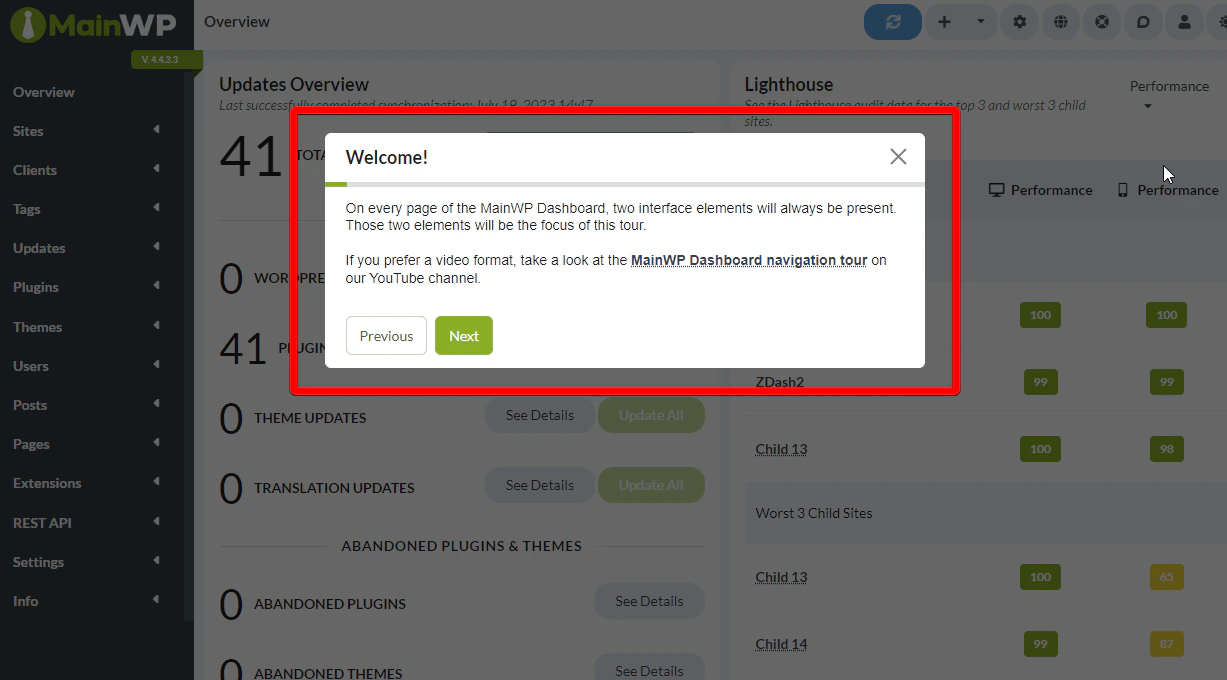
Method 1: From Settings
Method 2: From Any Page
You can toggle tours off directly from the interface:Turn off guided tours
In the Support modal, locate the Take a Quick Tour card and set its Turn On / Turn Off toggle to Off.
Re-enable Guided Tours
To turn tours back on:- Go to MainWP > Settings > MainWP Tools
- Toggle Enable MainWP guided tours to On
- Click Save Settings
Self-Check Checklist
- Guided tours toggle found
- Toggle set to preferred state
- Settings saved (if using Method 1)
- Tours no longer appear when navigating
Related Resources
- MainWP Support Modal - Learn all Support modal options
- Disable Tooltips - Turn off hover tooltips
- Disable Update Confirmations - Remove confirmation dialogs