
Some MainWP extensions require third-party plugins to be installed on your child sites. When you open an extension page, the Dashboard checks for missing required plugins and prompts you to install them.Documentation Index
Fetch the complete documentation index at: https://mainwp-mintlify-c0f00f42.mintlify.app/llms.txt
Use this file to discover all available pages before exploring further.
What You’ll Learn
- How the required plugins check works
- How to install required plugins
- What happens if you dismiss the prompt
How the Check Works
The required plugin check is triggered when you open an extension page (e.g., Dashboard > Add-ons > UpdraftPlus).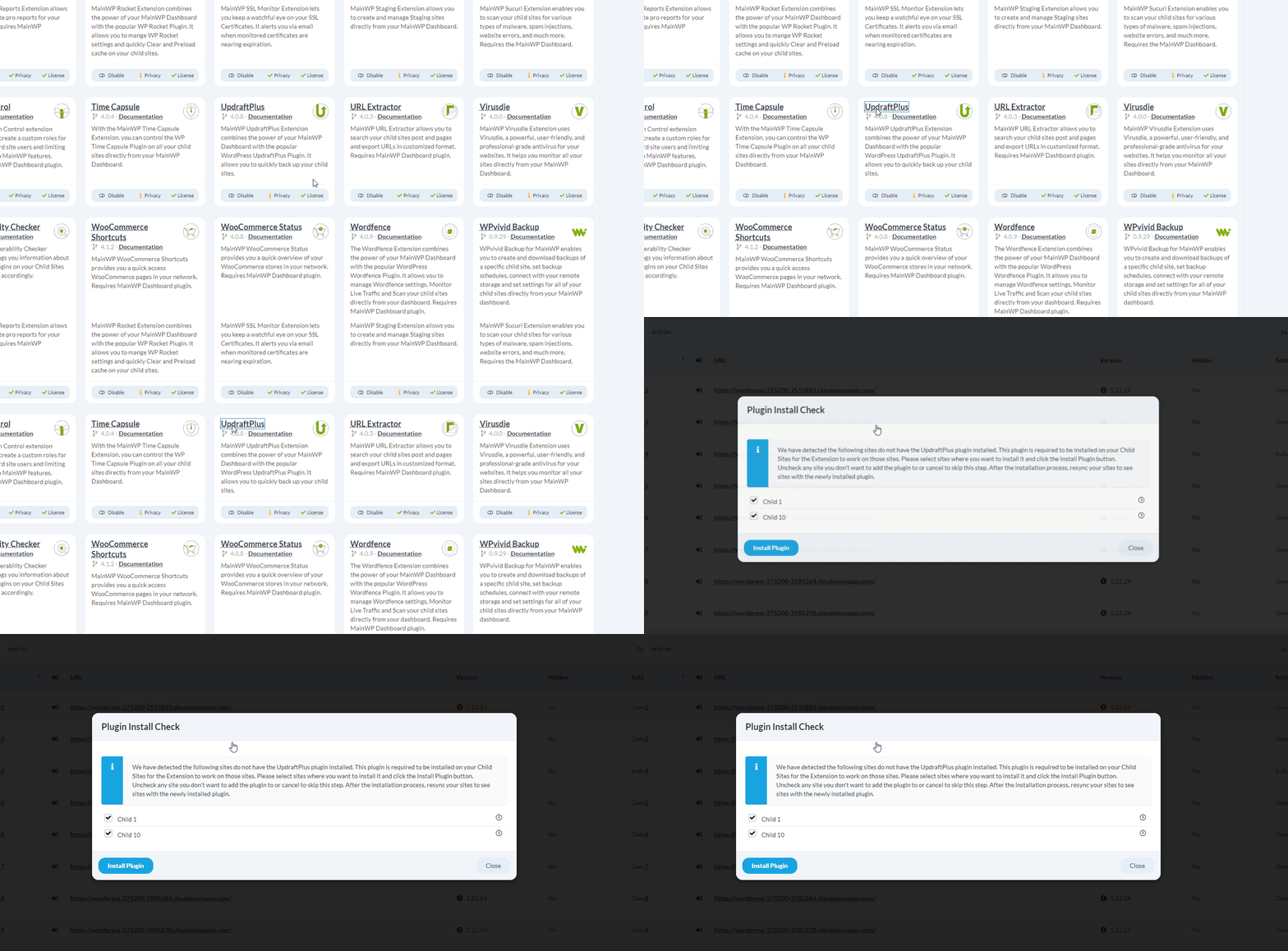
Installing Required Plugins
When the prompt appears, you have two options:| Action | Result |
|---|---|
| Click Install Plugin | Installs and activates the required plugin on child sites |
| Click Close | Dismisses the prompt for 30 days |
Installed plugins are automatically activated on child sites.
After Installation
After installing the required plugins, synchronize your Dashboard with child sites for the extension to detect the newly installed plugins. Go to MainWP > Sites > Manage Sites and click Sync Dashboard or wait for the next automatic sync.Dismissed Prompt Timing
If you dismiss the modal by clicking Close, the next check for required plugins will occur no sooner than 30 days later. To trigger an immediate check, deactivate and reactivate the extension, then open the extension page again.Self-Check Checklist
- Opened extension page to trigger check
- Installed required plugins (if prompted)
- Synchronized Dashboard with child sites
- Extension showing expected functionality
Related Resources
- Manage Add-ons - Extension management
- Managing Plugins - Plugin management