
After bulk installing a plugin through MainWP Dashboard, the plugin may display in English even though the child site uses a different language. This happens because translation files aren’t automatically fetched during remote installation.Documentation Index
Fetch the complete documentation index at: https://mainwp-mintlify-c0f00f42.mintlify.app/llms.txt
Use this file to discover all available pages before exploring further.
What You’ll Learn
- Why plugins default to English after bulk install
- How to update translations via MainWP Dashboard
- How to update translations on individual child sites
Why This Happens
When you install a plugin directly on a WordPress site, translations are automatically fetched from WordPress.org: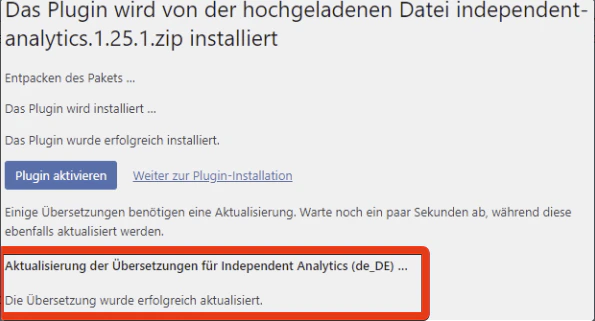
Solution 1: Update Translations via MainWP
This approach updates translations for all affected sites at once.Solution 2: Update Translations on Child Sites
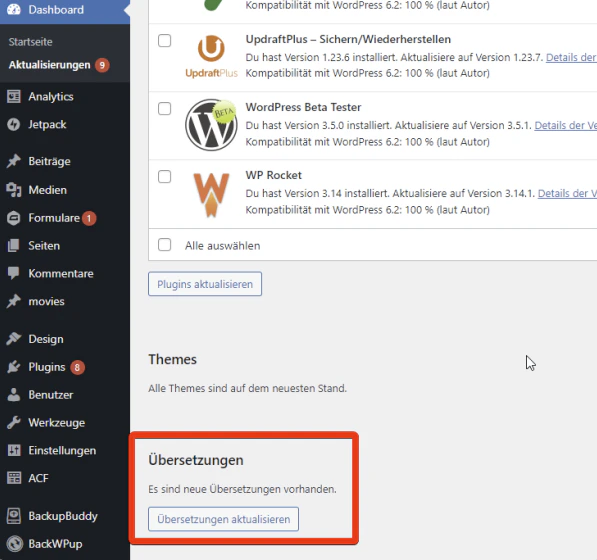
Use this approach if you need to update translations for specific sites.Access the child site
Log into the WordPress Admin of the child site where the plugin was installed.
Best Practice
After any bulk plugin installation:- Sync your MainWP Dashboard
- Check MainWP > Updates > Translation Updates
- Apply any available translation updates
Self-Check Checklist
- Plugin bulk installed via MainWP
- Dashboard synced after installation
- Translation updates checked
- Translations applied to child sites
- Plugin displaying in correct language
Related Resources
- Managing Plugins - Plugin management overview
- Manage Updates - Updates management